
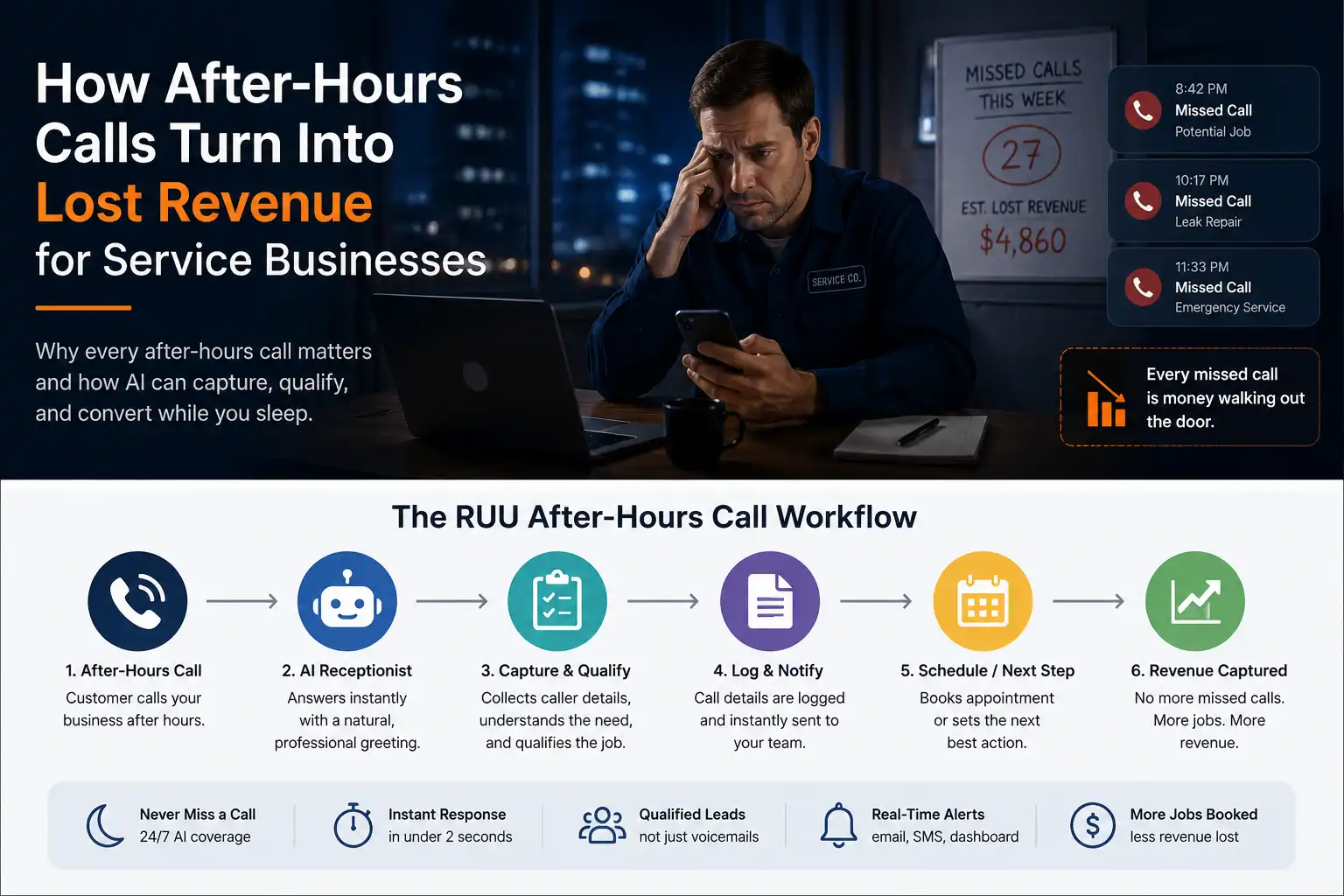
Why paid ads fail after the click
A paid ad can do its job and still fail as a business outcome. The ad can reach the right person. The keyword can match intent. The landing page can persuade the visitor. The call button can work. But if nobody answers the phone quickly, the conversion path breaks at the final step.
This is why paid-ad performance should not be judged only inside an ad dashboard. Click-through rate, cost per click, and form fills matter, but many high-value decisions still happen in phone conversations. A caller may want pricing, availability, appointment times, emergency service, product details, financing, delivery information, or a quick answer before choosing who gets the business.
When that call goes unanswered, the ad platform may still record a click, a call tap, or a lead event. The business paid for the moment. The operator, sales team, dispatcher, clinic desk, dealership BDC, or service advisor then had to convert the moment into a useful outcome. If that response layer is overloaded, the campaign can look like the problem even when the campaign created real demand.
Paid ads fail when phone response is slow because the buyer’s intent is highest at the moment they call. If the business misses the call, responds late, or fails to route the caller correctly, paid traffic can turn into wasted spend, weak follow-up, and invisible lost opportunity.
Where the paid-ad response workflow usually breaks
The problem is rarely one single missed call. It is usually a chain of small gaps that appear once the lead moves from the campaign into the business operation. Paid ads create a surge of moments. Operations must absorb those moments in real time.
- The front desk is busy with an in-person customer when the call arrives.
- The call comes after hours or during lunch coverage.
- The caller waits too long and hangs up before anyone answers.
- The call is answered but routed to the wrong person or department.
- The caller leaves a vague voicemail with no campaign source or service context.
- The team calls back later without knowing the original intent, urgency, or ad source.
- The manager sees ad spend but cannot easily review call recordings, transcripts, outcomes, or next actions.
This is the gap that makes paid ads feel unpredictable. The campaign may produce demand, but the business lacks a reliable system for turning that demand into a reviewable call outcome.
Why speed matters for paid-ad phone leads
Paid-ad callers are often comparing options. A homeowner searching for emergency plumbing may call several providers. A patient may contact multiple clinics. A dealership shopper may submit several inquiries. A restaurant guest may try the next listing if the first phone number goes unanswered.
The practical point is simple: the caller’s attention is active for a limited window. Speed does not guarantee a sale, and every industry is different, but a slow response gives competitors time to enter the conversation. That is why lead-response research is useful as directional context, even when older studies should not be treated as universal proof for every business.
The phone also carries context that ads cannot fully explain. A call can reveal urgency, budget, service type, location, timing, objection, department need, or whether a human should take over. If that context is not captured, the business may spend money to create a conversation and then lose the details that would make follow-up effective.
Use a speed-to-lead scenario to estimate how many calls, callbacks, and next actions your team needs to capture.
What every paid-ad call workflow should capture
Better paid-ad measurement does not stop at the keyword or campaign name. Once the call happens, managers need a clear connection between marketing source and business outcome. A simple “call received” event is not enough if nobody knows what happened next.
Useful fields to capture
- Campaign, channel, keyword, or landing page source when available
- Caller name and phone number
- Reason for calling and service need
- Urgency level, buying stage, or appointment intent
- Department or team that should handle the request
- Recording and transcript for review
- Outcome status, such as booked, quoted, callback needed, routed, not qualified, or human handoff
- Next action with owner and timing
These fields help teams understand whether paid traffic is producing the right conversations and whether the business is responding fast enough to convert them.
| Campaign event | Common failure | Better workflow |
|---|---|---|
| Call from paid search | Call missed while staff are busy | AI Receptionist answers, captures intent, and flags callback urgency. |
| Landing-page form submitted | Lead waits hours for first response | AI Calling workflow acknowledges interest and qualifies the next step. |
| High-value service inquiry | Wrong department receives the call | Intent-based routing sends the caller or call summary to the right team. |
| Manager reviews ad spend | No call-level visibility | Recordings, transcripts, outcomes, and source fields show what happened. |
Where RUU fits
RUU is designed for businesses that need calls handled, followed up, logged, and reviewed. For paid-ad workflows, RUU can support both sides of the response gap: inbound calls that need an AI Receptionist and outbound follow-up tasks that need an AI Calling Agent.
The goal is not to replace every human conversation. The goal is to make sure the business has enough call capacity for repeatable, time-sensitive workflows. RUU can help capture caller intent, qualify basic details, save recordings and transcripts, log outcomes, route next actions, and hand off to a human when the conversation needs judgment.
This is especially useful when ad traffic creates uneven demand. A small team may handle normal call volume well, then struggle when campaigns, seasonal demand, local service urgency, or promotional pushes create spikes. RUU helps create a managed response layer so paid demand does not disappear into voicemail or disconnected notes.
What to review inside the demo dashboard
Before connecting live ad traffic, the RUU demo dashboard should help you review how the workflow will look after calls are captured. Check whether the sample logs make the business outcome visible, not just the fact that a call occurred.
Review these items before going live
- Sample paid-ad call log records
- Transcript and recording previews
- Lead source and campaign fields
- Qualification questions and routing rules
- Callback-needed and human-handoff conditions
- Outcome statuses your team will review
- Demo mode versus production activation steps
Live AI call handling should begin only after plan selection, verification, workflow setup, and production approval. That gives the business a safer path from reading about the problem to reviewing the workflow before real callers are connected.
Sources and research notes
These sources are included as directional context for paid-ad response and phone-lead behavior. They should not be read as guaranteed results for RUU or for any individual business. Actual outcomes depend on call volume, industry, offer quality, team process, market competition, and implementation.
- CallRail small-business marketing benchmark report — useful context on missed calls and small-business lead handling.
- Invoca 2025 Call Conversion Industry Benchmarks Report — directional context on phone-call conversion benchmarks and call handling.
- Harvard Business Review: The Short Life of Online Sales Leads — older but widely cited context on why lead response time matters.
- Salesforce customer connection guidance — context on customer expectations for faster, more consistent interactions.