
 https://cdn.ruu.savoir.ltd/assets/BUSINESS_KNOWLEDGE_WORKFLOW_optimized.webp
Business context
FAQs, services, offers, locations, policies, customer context, and operating rules can shape the workflow after review.
Security / Trust / Reliability
RUU is built for businesses that need call handling they can see, review, and control. Demo access comes first. Live AI call handling starts only after workflow review, setup approval, and production activation.
 https://cdn.ruu.savoir.ltd/assets/SECURITY_TRUST_HERO_DASHBOARD_optimized.webp
 https://cdn.ruu.savoir.ltd/assets/SECURITY_CALL_RECORDINGS_TILE_optimized.webp
 https://cdn.ruu.savoir.ltd/assets/SECURITY_TRANSCRIPTS_TILE_optimized.webp
 https://cdn.ruu.savoir.ltd/assets/SECURITY_HANDOFF_TILE_optimized.webp
Call goals, scripts, routing, and escalation are reviewed before production.
Approved workflows can include recordings, transcripts, summaries, and outcomes.
Calls can be routed, flagged, or marked for callback when a person is needed.
Business knowledge handling
RUU should not be treated like an unmanaged prompt. Business context, call goals, approved behavior, routing rules, and dashboard outputs are reviewed before live business-specific calling begins.
https://cdn.ruu.savoir.ltd/assets/BUSINESS_KNOWLEDGE_WORKFLOW_optimized.webp
FAQs, services, offers, locations, policies, customer context, and operating rules can shape the workflow after review.
RUU can be configured to answer, qualify, confirm, book, follow up, route, escalate, or capture approved information.
Define what RUU can say, ask, capture, skip, transfer, flag, or send to human review.
Approved workflows can show outcomes, transcripts, summaries, recordings, callback flags, and follow-up status.
Call recordings & transcripts
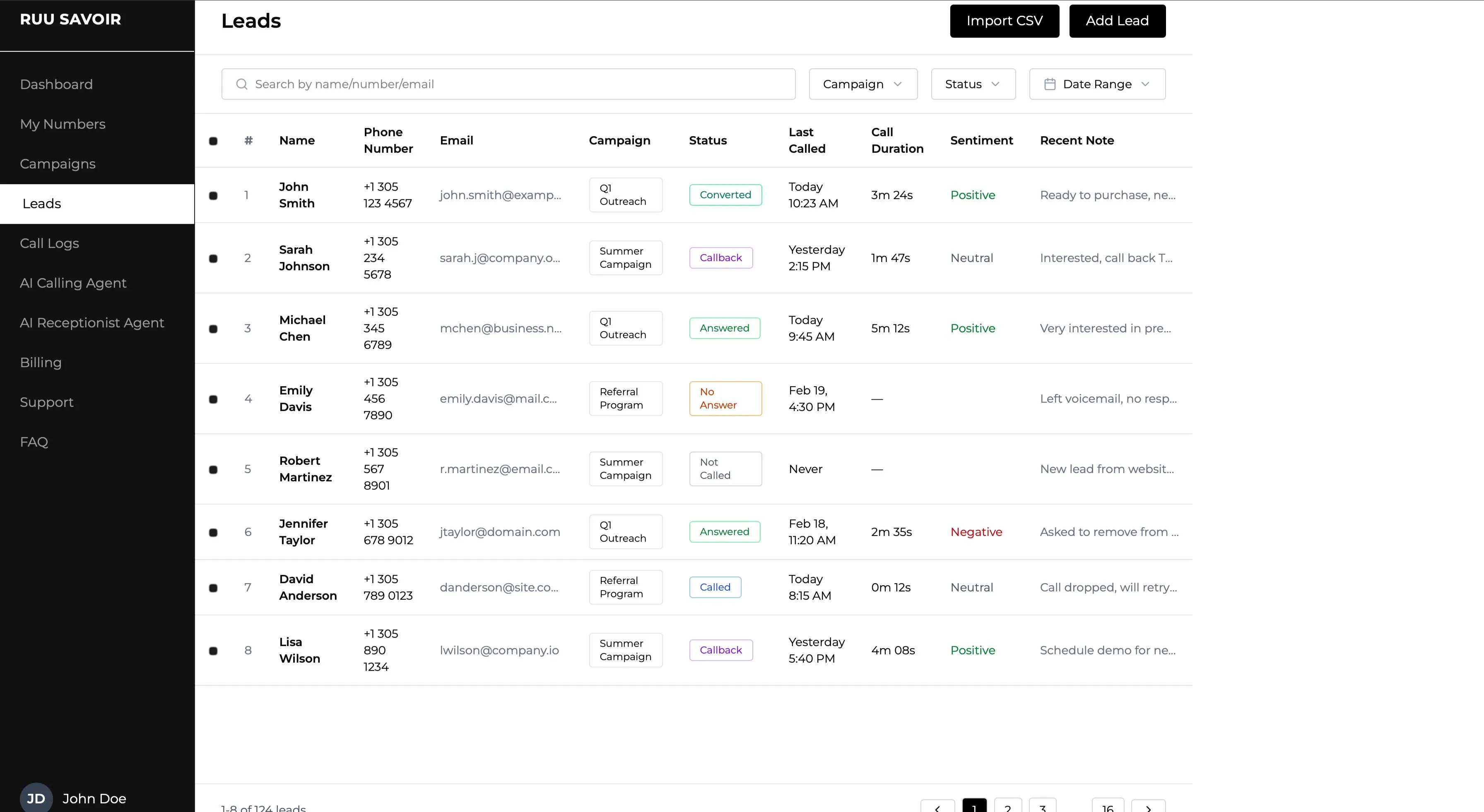
Approved RUU workflows can create call records your team can review: recordings, transcripts, summaries, outcomes, callback flags, and escalation notes.
 https://cdn.ruu.savoir.ltd/assets/RECORDINGS_TRANSCRIPTS_DASHBOARD_optimized.webp
 https://cdn.ruu.savoir.ltd/assets/CALL_RECORDING_PLAYBACK_CARD_optimized.webp
 https://cdn.ruu.savoir.ltd/assets/TRANSCRIPT_REVIEW_CARD_optimized.webp
“I need someone to confirm the appointment time and call me back before closing.”
Replay calls where recording is enabled and approved for the workflow.
Review what was said without listening through the entire call.
Understand the call result quickly before assigning next steps.
See whether the call was resolved, flagged, routed, or needs review.
Human handoff & escalation
RUU does not need to solve every call alone. It can resolve simple calls, mark callback requests, flag human review, or escalate based on approved rules.
Simple questions can be answered inside the approved call workflow without requiring a team member.
 https://cdn.ruu.savoir.ltd/assets/HUMAN_HANDOFF_ESCALATION_FLOW_optimized.webp
Workflow boundaries
RUU should be configured around what the AI can answer, ask, capture, route, flag, or escalate before live business-specific calling begins.
Common business FAQs, service information, opening hours, order status directions, appointment basics, and approved customer-facing answers.
Caller intent, order details, appointment needs, location, urgency, preferred callback time, and workflow-specific qualification questions.
Call outcome, transcript, summary, caller request, callback flag, routing status, order confirmation, and follow-up requirement.
Sensitive, complex, medical, legal, financial, angry, unclear, or high-risk conversations should be routed to human review based on approved rules.
Human handoff can be triggered by caller request, uncertainty, sensitive context, urgent issues, high-value leads, support needs, or workflow rules.
Approved workflows can show recordings, transcripts, summaries, outcomes, callback requests, review flags, and escalation notes.
 https://cdn.ruu.savoir.ltd/assets/WORKFLOW_BOUNDARIES_CONTROL_REVIEW_optimized.webp
RUU supports approved call workflows and escalation paths. It should not be positioned as making sensitive business, medical, legal, or financial decisions by itself.
 https://cdn.ruu.savoir.ltd/assets/CALL_TESTING_BEFORE_GO_LIVE_optimized.webp
Call testing before go-live
The demo account helps your team understand recordings, transcripts, dashboards, call outcomes, and workflow direction before requesting production activation.
Reviewed before activation
Business knowledge, recordings, transcripts, dashboard outcomes, integrations, and handoff notes are configured around the approved setup before production use.
FAQs, services, policies, routing rules, scripts, offers, locations, and setup context.
Approved call goals, escalation rules, restricted topics, and dashboard outcomes.
 https://cdn.ruu.savoir.ltd/assets/DATA_HANDLING_APPROVED_WORKFLOW_VISUAL_optimized.webp
Where enabled and approved, calls can leave recordings, transcripts, summaries, and notes.
Dashboard statuses, callback flags, human review notes, and integration outputs.
Information used to shape approved call behavior.
Reviewed before live activation.
Audio records of calls where recording is enabled.
Depends on workflow and requirements.
Text version of calls for review and visibility.
Used according to approved setup.
CRM, sheets, webhook, ecommerce, calendar, or OMS outputs.
Connected where applicable after review.
Context-specific setup
Production requirements depend on region, call purpose, recording expectations, data handling needs, handoff rules, and approved workflow setup.
Demo access comes first. Live calling starts only after workflow review, setup approval, and production activation.
 https://cdn.ruu.savoir.ltd/assets/RESPONSIBLE_NO_INSTANT_LIVE_ACTIVATION_optimized.webp
Compliance requirements are reviewed during workflow setup, including SOC 2, HIPAA, and GDPR needs where applicable.
 https://cdn.ruu.savoir.ltd/assets/RESPONSIBLE_NO_UNSUPPORTED_CLAIMS_optimized.webp
Calls involving uncertainty, sensitive requests, angry callers, or high-risk issues can be flagged for human follow-up.
 https://cdn.ruu.savoir.ltd/assets/RESPONSIBLE_ESCALATION_PATHS_optimized.webp
Approved workflows can include recordings, transcripts, summaries, dashboard notes, and handoff flags.
 https://cdn.ruu.savoir.ltd/assets/RESPONSIBLE_REVIEWABLE_RECORDS_optimized.webp
Ecommerce, clinics, home services, real estate, agencies, and support workflows may require different operating rules.
 https://cdn.ruu.savoir.ltd/assets/RESPONSIBLE_WORKFLOW_SPECIFIC_SETUP_optimized.webp
Caller-facing responses, escalation paths, recording expectations, and workflow behavior should match the approved setup.
 https://cdn.ruu.savoir.ltd/assets/RESPONSIBLE_CUSTOMER_EXPERIENCE_optimized.webp
Demo-first activation
Demo access lets your team review dashboards, call outcomes, recordings, transcripts, and workflow behavior before production activation.
No. Demo access comes first. Live business-specific calling starts only after workflow review, approved setup, and production activation.
Approved workflows can include recordings, transcripts, summaries, outcomes, dashboard notes, and human review flags where enabled.
RUU can route, flag, or mark calls for callback, escalation, support review, or human follow-up based on workflow rules.
RUU should be configured around approved call goals and escalation paths. Sensitive decisions should follow the customer’s review process.
Production requirements depend on region, workflow, call purpose, data handling needs, recording policies, and approved setup. SOC 2, HIPAA, and GDPR needs are reviewed where applicable.
Yes. The demo and setup process are designed to help teams review workflows, scripts, dashboard outputs, and handoff behavior before live activation.
RUU is built for demo-first exploration, setup review, human handoff, and production workflows that are activated only after approval.