What is a high-intent lead?
A high-intent lead is someone who has moved beyond casual browsing and taken an action that suggests active buying interest. They may have called from a paid ad, submitted a quote request, asked for pricing, booked a demo, requested availability, filled out a contact form, replied to a campaign, or asked whether your team can solve a specific problem.
The important part is not the label “lead.” The important part is timing. At the moment of inquiry, the person has context in their head. They remember what they searched. They know what problem they are trying to solve. They may still be comparing options. They may be ready to book, buy, schedule, or speak to someone who can help them decide.
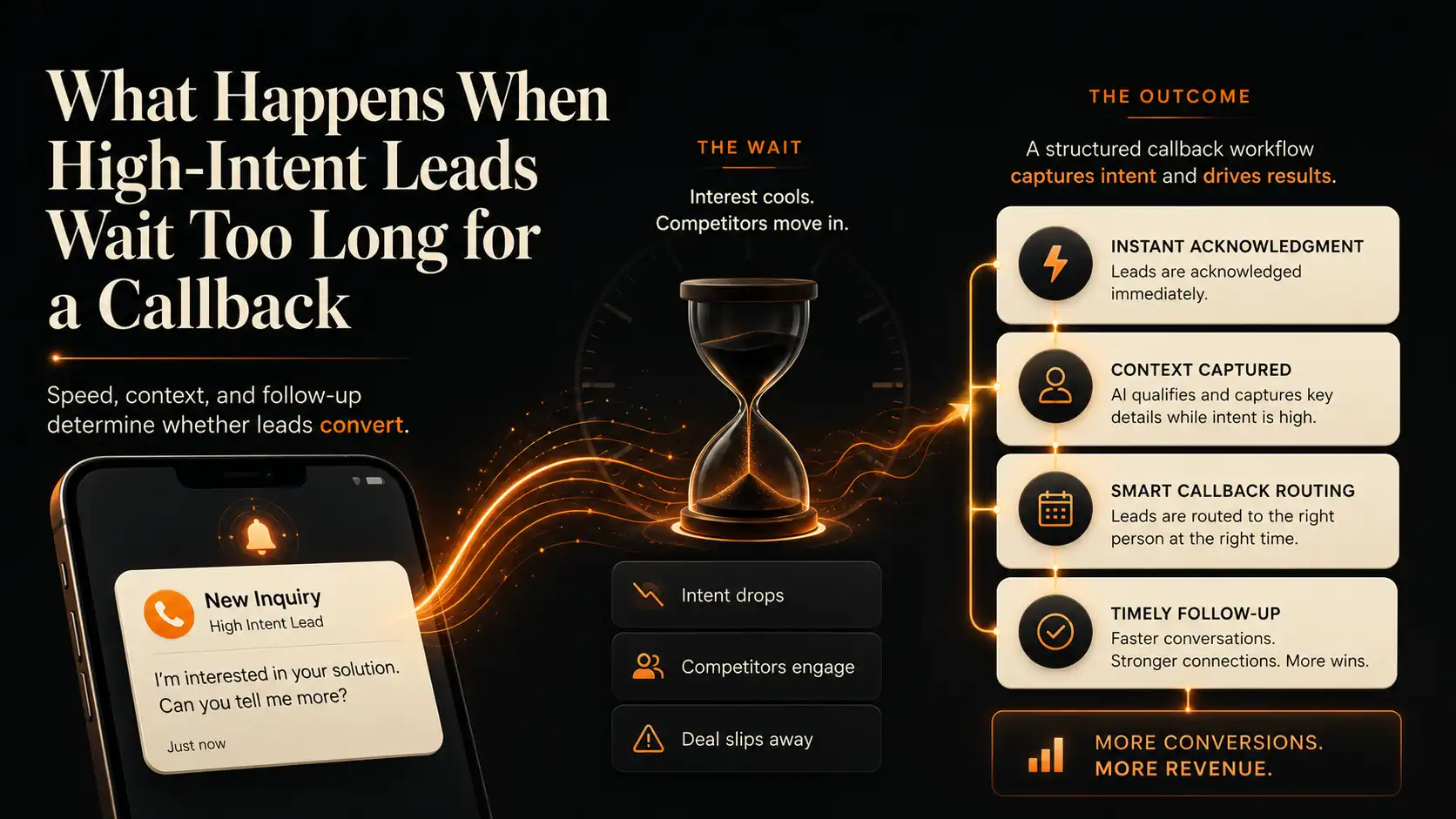
That is why a callback delay can be expensive. The lead may still sit inside the CRM, but the original decision moment may not wait. A slow response can turn a live buying conversation into a stale follow-up task.
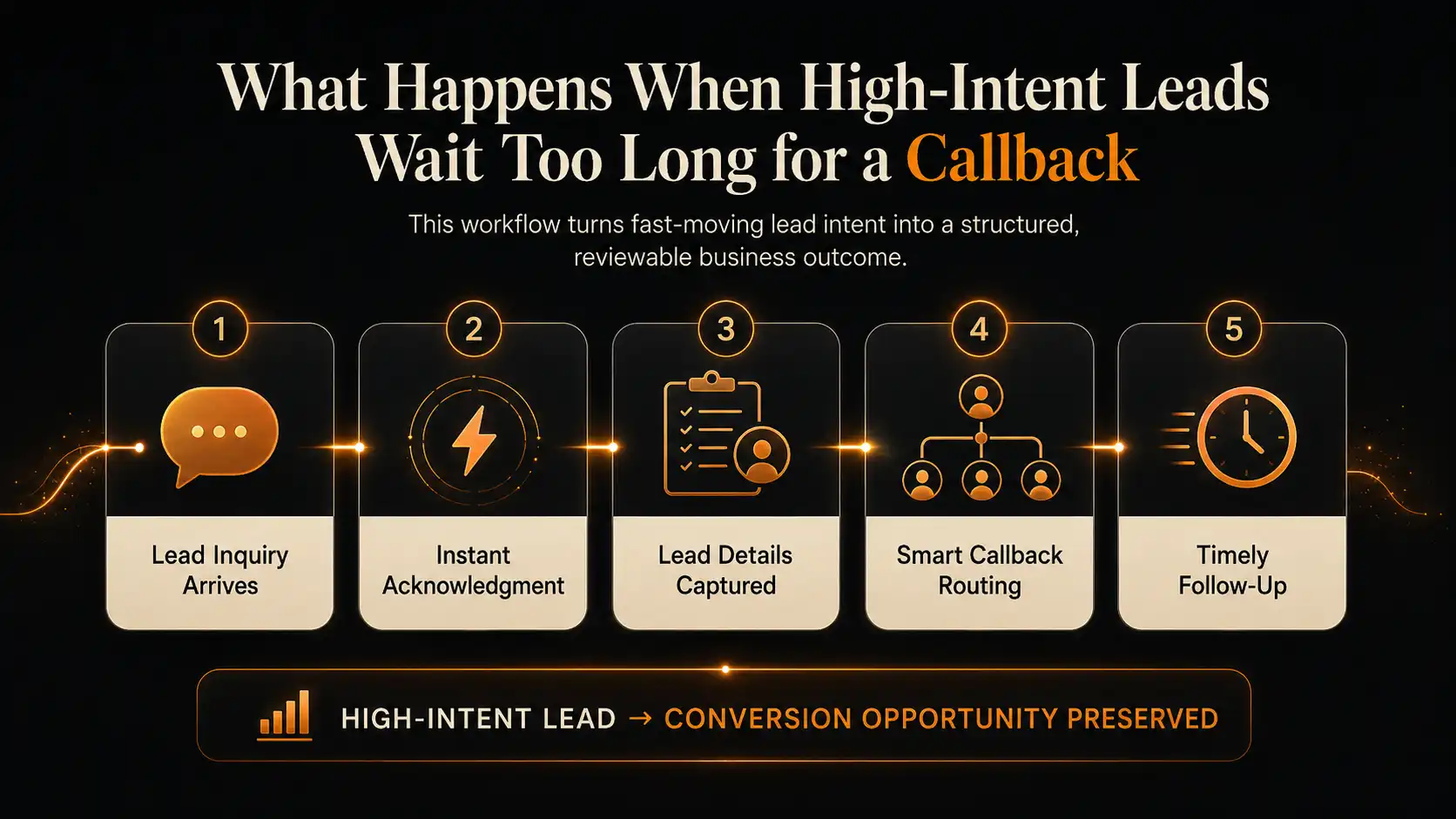
High-intent leads lose value when callbacks are delayed because attention, urgency, and context decay. The practical fix is not simply “call faster.” The fix is to acknowledge the lead quickly, capture the request, qualify the intent, route ownership, and make the next action visible.
Why the wait costs more than it looks
Most teams understand that fast response matters. The problem is that delay often looks harmless in the dashboard. The form came in. The phone number is there. The lead is assigned. A callback is planned. On paper, nothing has been lost yet.
But the customer experience is happening outside the dashboard. While your team is waiting for a free moment, the prospect may be searching again, calling the next business, comparing pricing, reading reviews, or deciding that the need is no longer urgent. In service categories, real estate, automotive, clinics, ecommerce, and B2B services, that gap can matter because the first helpful response can shape the buyer’s next move.
Older but still widely cited lead-response research from Harvard Business Review found that many companies were slow to respond to web leads, and that faster follow-up was strongly associated with better qualification outcomes. More recent phone-call benchmark reports continue to support the broader operational point: call handling and response speed remain central to converting demand into measurable outcomes.
What changes during the delay?
- The lead’s original question becomes less clear.
- The lead may speak with another provider first.
- The team may call back without knowing the context that triggered the inquiry.
- The prospect may stop answering unknown numbers later in the day.
- The manager may not see whether the lead was contacted, qualified, routed, or lost.
Explore sample AI Calling workflows, lead notes, callback status, transcript previews, and outcome cards inside the RUU demo dashboard.
Where the callback workflow usually breaks
Slow callback problems are rarely caused by one careless person. They usually happen because the business has more lead channels than the team can monitor in real time. A prospect may arrive through Google Ads, Meta ads, a website form, a marketplace profile, a property listing, a call tracking number, a chat widget, or a referral page.
Each source may send notifications to a different place. One lands in email. One lands in a CRM. One creates a missed call. One sends an SMS. One goes to a manager’s inbox. One goes to a salesperson who is already in a meeting. That creates a handoff gap before the callback even begins.
The workflow usually breaks at one of five points:
- Acknowledgment: the lead does not know whether anyone saw the inquiry.
- Context: the team has the phone number but not the reason, urgency, budget, service type, or preferred time.
- Routing: the lead is assigned to the wrong person or waits in a general queue.
- Persistence: one missed callback attempt becomes the end of the follow-up.
- Visibility: managers cannot review which leads were contacted, qualified, scheduled, lost, or escalated.
Why forms, inboxes, and CRMs do not solve it alone
A form can capture a lead. A CRM can store a lead. An inbox can notify the team. But those tools do not automatically create a complete callback workflow. The lead still needs acknowledgment, qualification, routing, and follow-up ownership.
This is why businesses often feel like they “have leads” but still lose opportunities. The data exists somewhere, but the conversation does not move fast enough. A CRM record does not guarantee that the lead was called at the right time. A form submission does not guarantee that the team captured the buyer’s urgency. A voicemail does not guarantee that the manager can review what happened next.
The goal is not to replace the CRM. The goal is to make the response layer stronger so the CRM receives better outcomes: contacted, qualified, routed, scheduled, callback needed, human handoff, or closed reason.
What businesses should capture instead
A better lead response workflow turns the first inquiry into usable operating context. That context should help the team know who contacted the business, why they reached out, how urgent the request is, who owns the follow-up, and what should happen next.
Useful fields to capture
- Lead name, phone number, email, and source
- Reason for inquiry or service requested
- Urgency level and preferred callback window
- Budget, location, appointment need, property, order, or vehicle context where relevant
- Transcript or call summary
- Recording where appropriate and permitted
- Owner or routing status
- Next action and deadline
- Human handoff flag for sensitive, complex, or high-value conversations
Start with monthly high-intent leads, average potential value, and current callback delay. Then review how many leads receive first acknowledgment, how many are reached, how many are qualified, and how many get a next action. Use the result as a scenario estimate, not a guaranteed revenue forecast.
Where RUU fits
RUU is designed as a managed AI voice system for businesses that need calls handled, followed up, logged, and reviewed. For high-intent lead workflows, RUU can support outbound follow-up scenarios through an AI Calling Agent, helping teams acknowledge inquiries, collect context, qualify intent, save transcripts and recordings, and create visible outcomes inside a dashboard.
The value is not only speed. Speed without structure can create messy follow-up. The value is speed plus usable context: what the lead wanted, what was captured, whether a human should take over, and what the team should do next.
RUU should not be treated as a replacement for judgment. Sensitive, urgent, complex, or policy-specific conversations can be routed to a person. The system is meant to support repeatable follow-up workflows while keeping escalation paths clear.
What to review inside the demo dashboard
Before activating live AI calling, the RUU demo dashboard should help you understand how a follow-up workflow looks after the system captures it. Review sample lead records, call attempts, transcript previews, recording cards, routing states, and next-action outcomes.
The most important thing to review is not whether the dashboard looks busy. It is whether the workflow makes decisions easier: Who needs a callback? Who is ready to book? Which lead needs a human? Which inquiry is low priority? Which call created a next action?
Live AI calling begins only after plan selection, verification, workflow setup, and production approval. That gives businesses a safer path to explore the system before connecting it to real prospects.
Sources and research notes
Lead response and call conversion research can vary by industry, offer, channel, and lead quality. The sources below are included as directional context, not as a promise that any specific business will achieve a fixed conversion lift.
- Harvard Business Review, The Short Life of Online Sales Leads: supports the long-standing point that many companies respond too slowly to web-generated leads and that earlier follow-up can improve qualification opportunities.
- CallRail 2025 benchmark report announcement: provides recent call-answering and missed-call context for small businesses and several service-heavy industries.
- Invoca 2025 Call Conversion Industry Benchmarks Report: provides current benchmark context based on large-scale phone-call analysis across industries.
- Invoca benchmark release, June 2025: gives high-level context that phone calls remain a meaningful conversion channel across many industries.
- Salesforce State of the AI Connected Customer: supports the broader expectation that customers value faster, more relevant, and more connected service experiences.