What counts as after-hours demand?
After-hours demand is any customer request that arrives when the team is not ready to answer in the normal way. It can happen at night, early morning, during weekends, on holidays, during lunch coverage, or when every staff member is already handling active jobs.
For service businesses, the call may not be casual. It may come from someone with a leaking pipe, a broken AC unit, a lockout, a roofing concern, an electrical issue, a pest problem, a cleaning emergency, a garage door failure, or a next-day booking request. The customer often chose the phone because they wanted a faster path than email or a contact form.
The problem is that the business may treat after-hours demand as a voicemail queue. The customer treats it as a decision moment. That mismatch is where revenue leakage begins.
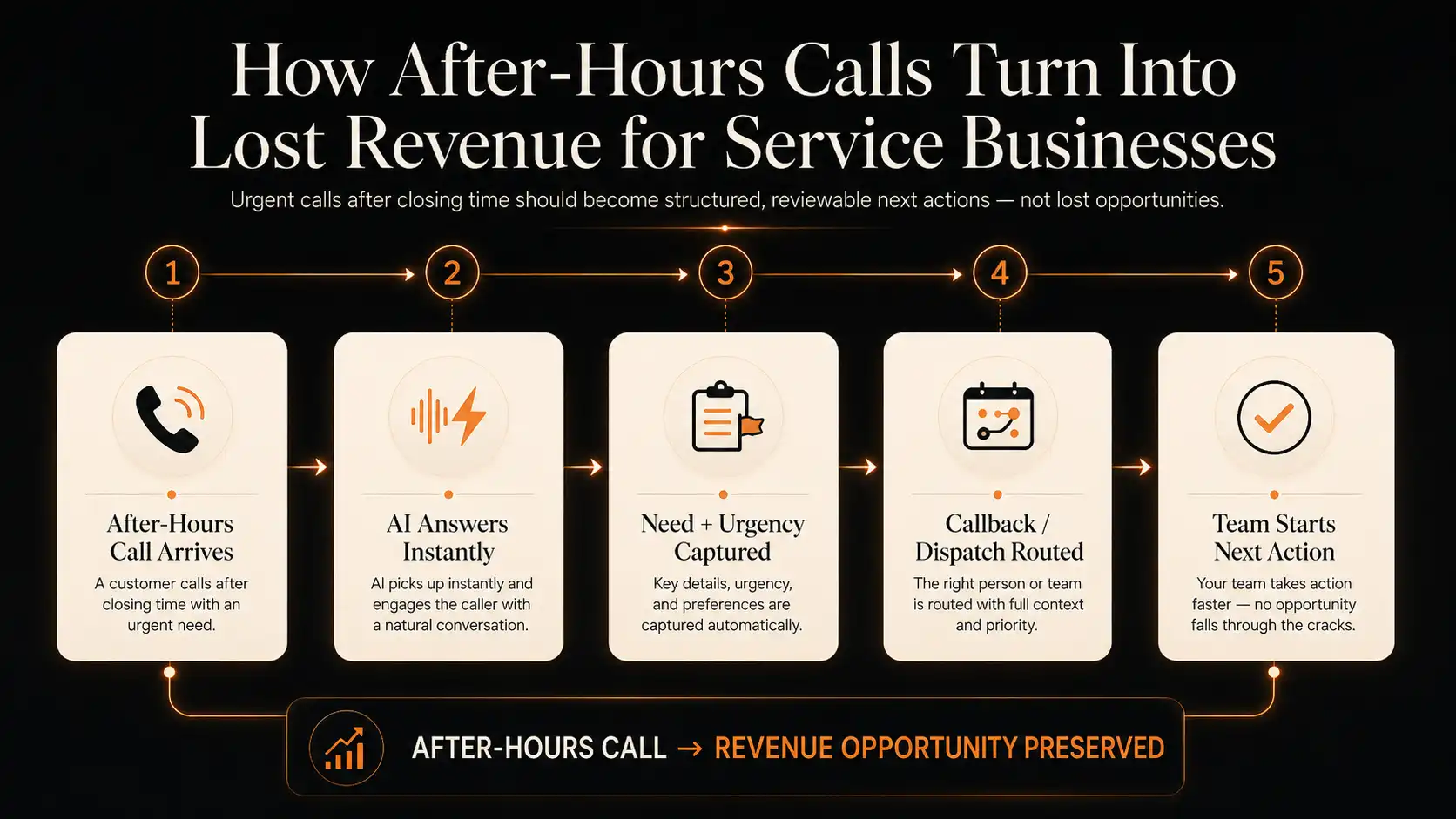
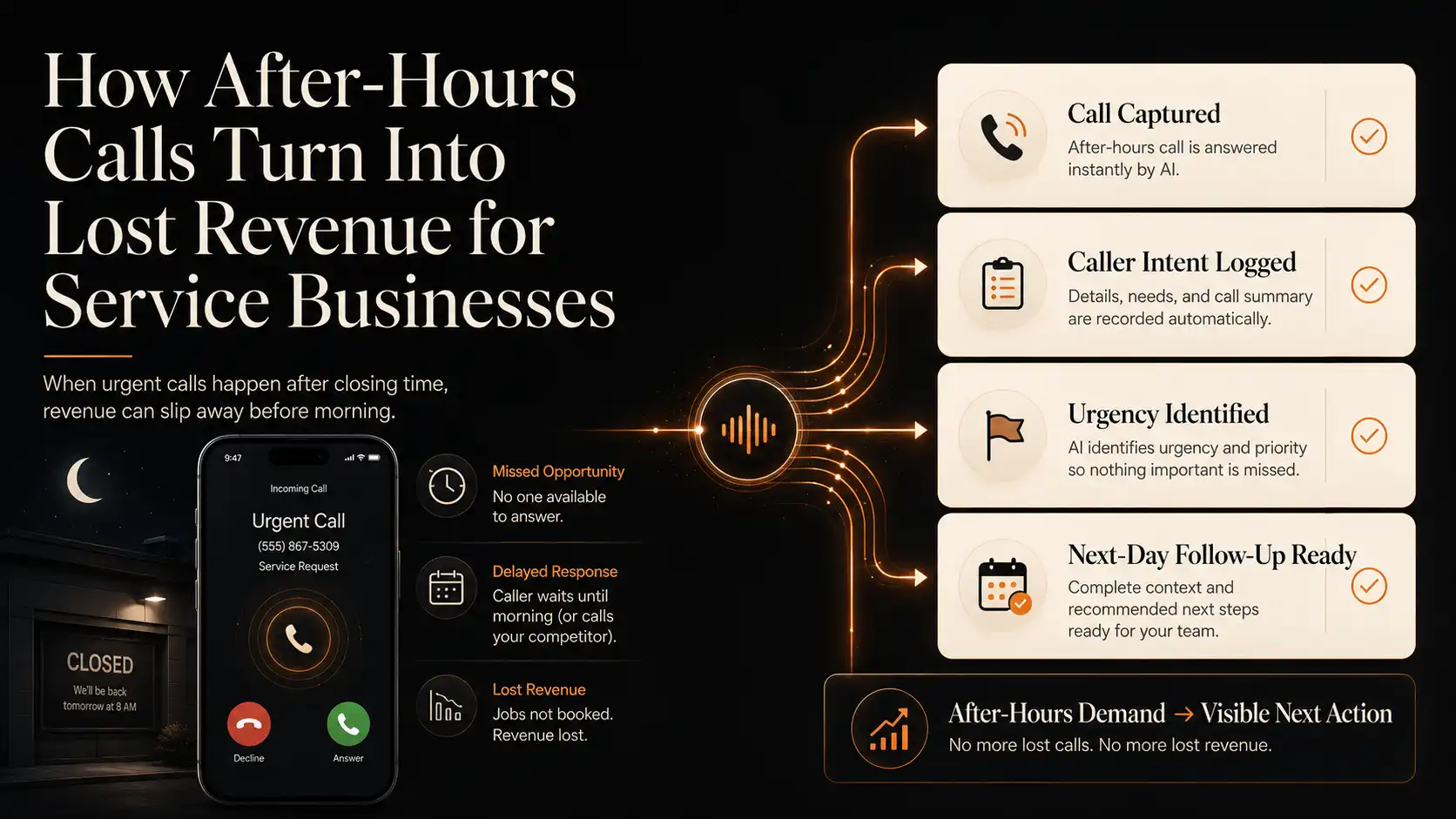
After-hours calls turn into lost revenue when urgent service demand is not captured, qualified, routed, or followed up quickly. The practical fix is to turn every after-hours call into a reviewable outcome: caller intent, urgency, transcript, recording, handoff flag, and next action.
Why after-hours calls cost more than they look
A missed call after closing time can look harmless because the office was closed. The team may assume the caller will leave a voicemail, wait until morning, or call back during business hours. Sometimes that happens. But in urgent service categories, many callers are not waiting patiently.
They may search again. They may call the next provider in the list. They may choose whoever gives the first clear answer. They may not remember to call back. Or they may leave a partial voicemail with too little information for the morning team to triage properly.
Recent call and service-business reports continue to show that phone conversations remain a meaningful conversion path for service-heavy businesses. CallRail’s 2025 small-business benchmark announcement describes its analysis as based on 1.1 million leads across industries including home services, real estate, healthcare, legal, and automotive. Invoca’s 2025 call conversion benchmarks also point to phone calls as an important conversion channel across service categories.
The call may be valuable because it is urgent
- A homeowner with an urgent repair may call multiple providers quickly.
- A customer who needs weekend service may book with the first business that gives a clear next step.
- A caller may not want to type a detailed form while dealing with a stressful service issue.
- A voicemail may not include the address, urgency, service type, or best callback window.
- The morning team may find a list of messages but no priority order.
Explore sample AI Receptionist call logs, urgency flags, transcripts, recordings, routing status, and next-action cards inside the RUU demo dashboard.
Where the after-hours workflow usually breaks
Most after-hours gaps are not caused by a lack of effort. They happen because the business was built around normal coverage. The phone rings when the front desk has gone home, the owner is on a job, the dispatcher is off shift, or the team is already stretched.
The break usually appears in one of four places: the call is not answered, the message is incomplete, the urgency is unclear, or the next action is not assigned. By morning, the team may know that someone called, but they may not know what should happen first.
Common after-hours failure points
- The customer reaches voicemail and does not leave enough detail.
- The caller hangs up before the voicemail prompt finishes.
- The business receives several messages but no urgency ranking.
- A callback happens too late because the caller already booked elsewhere.
- The team lacks a transcript or recording to understand the original request.
- Managers cannot see which after-hours calls became jobs, callbacks, or lost opportunities.
What voicemail and manual recovery miss
Voicemail can be useful, but it is not a complete operating workflow. It captures what the caller chooses to say, not necessarily what the team needs to know. A service business may need the issue type, address, access notes, urgency level, equipment detail, preferred service window, and whether dispatch or a next-day callback is needed.
Manual recovery also depends on someone remembering to listen, interpret, document, assign, and follow up. When several calls arrive overnight, that creates operational drag before the workday begins. The business is not only behind on calls. It is behind on context.
That context gap matters because service teams make decisions from the details. A clogged drain, failed heater, roof leak, broken lock, or electrical concern may require different routing. A vague “please call me back” message does not help the team prioritize with confidence.
What a better after-hours call workflow should capture
A better workflow does not need to promise that every after-hours caller becomes a booked job. It should make sure that every real inquiry becomes visible, reviewable, and easier to act on.
Useful fields to capture
- Caller name and phone number
- Service type or reason for calling
- Address, location, or service area
- Urgency level and whether dispatch is needed
- Preferred callback time or service window
- Transcript and recording
- Outcome status, such as callback needed, urgent handoff, quote request, or not a fit
- Recommended next action for the team
Start with monthly after-hours calls, your typical booking value, and your current callback success rate. Then review how many calls get answered, how many include usable details, and how many receive a next action before the next business day. Treat this as a scenario estimate, not a guaranteed revenue forecast.
Where RUU fits
RUU is designed as a managed AI voice system for businesses that need calls handled, logged, followed up, and reviewed. For after-hours service workflows, RUU can support an AI Receptionist that answers repeatable intake scenarios, captures caller intent, identifies urgency, saves recordings and transcripts, and makes outcomes visible inside a dashboard.
The goal is not to replace every human decision. Some calls need a person, especially sensitive, complex, high-risk, or urgent situations. A practical after-hours AI workflow should make that boundary clear: collect the details that can safely be captured, flag what needs escalation, and route the next action to the right team.
RUU’s managed setup is important because after-hours workflows are business-specific. An HVAC company, plumbing company, roofing contractor, locksmith, cleaning business, pest control provider, or electrical contractor may all need different scripts, routing logic, urgency rules, and handoff criteria.
What to review inside the demo dashboard
Before activating live call handling, the RUU demo dashboard should help you understand what an after-hours call looks like after it is captured. Review sample call records, transcript previews, recording cards, urgency flags, callback states, routing fields, and next-action summaries.
A useful demo should answer operational questions: Did the caller need emergency help? Did they ask for next-day service? Was the address captured? Should dispatch review it? Does the team have enough context to call back? Was the call logged as a real opportunity or filtered out?
Live AI call handling begins only after plan selection, verification, workflow setup, and production approval. That gives service businesses a safer way to review after-hours workflows before connecting them to real customers.
Sources and research notes
After-hours call impact varies by trade, market, urgency, service value, staffing model, and response process. The sources below are included as directional context, not as proof that every service business will experience the same result.
- CallRail 2025 benchmark report announcement: provides recent call and lead context for small businesses across industries including home services.
- CallRail missed-call research, 2025: supports the broader point that unanswered calls can cause customers to abandon a business or look elsewhere.
- Invoca 2025 Call Conversion Industry Benchmarks Report: provides phone-call conversion benchmark context across service categories.
- ServiceTitan 2025 Consumer Trends in the Trades: supports the broader point that homeowner expectations in the trades are changing and contractors need better customer experience workflows.
- Jobber 2026 Home Service Trends Report: provides current home-services context, including scheduling capacity, quoting, AI adoption, and operational trends.